
openITCOCKPIT version 5.10.0 has been released!
Add AIX Support to the openITCOCKPIT Monitoring Agent
The openITCOCKPIT Monitoring Agent is a lightweight and cross-platform agent designed to have a unified approach for monitoring Linux, Windows, macOS and FreeBSD systems. We are excited to announce that the new version of the openITCOCKPIT Monitoring Agent will also support IBM AIX systems. One agent to monitor five major operating systems.
This release contains the necessary changes required on the openITCOCKPIT Server itself. AIX support will be available with the release of the openITCOCKPIT Monitoring Agent 3.8.0.
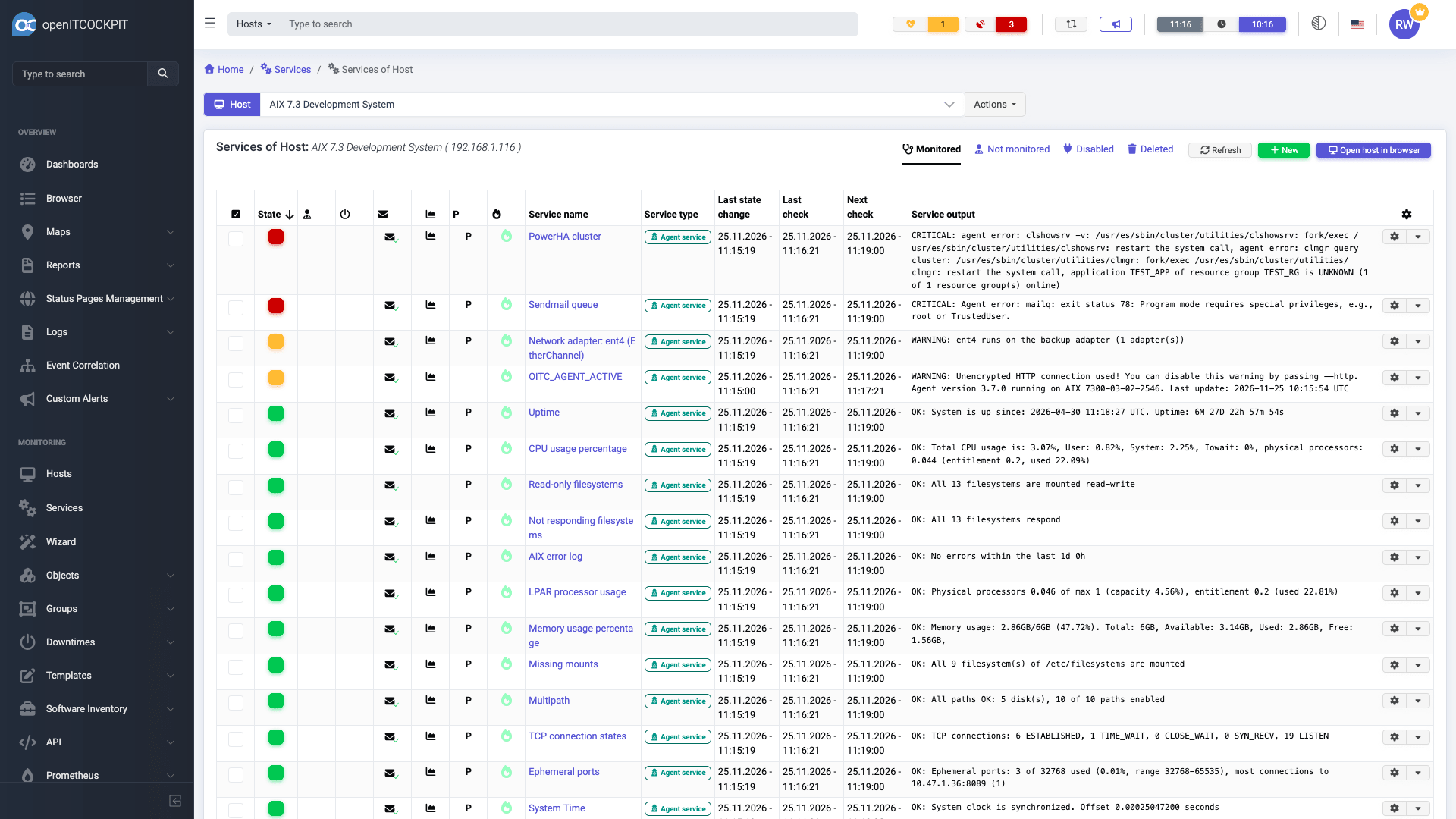
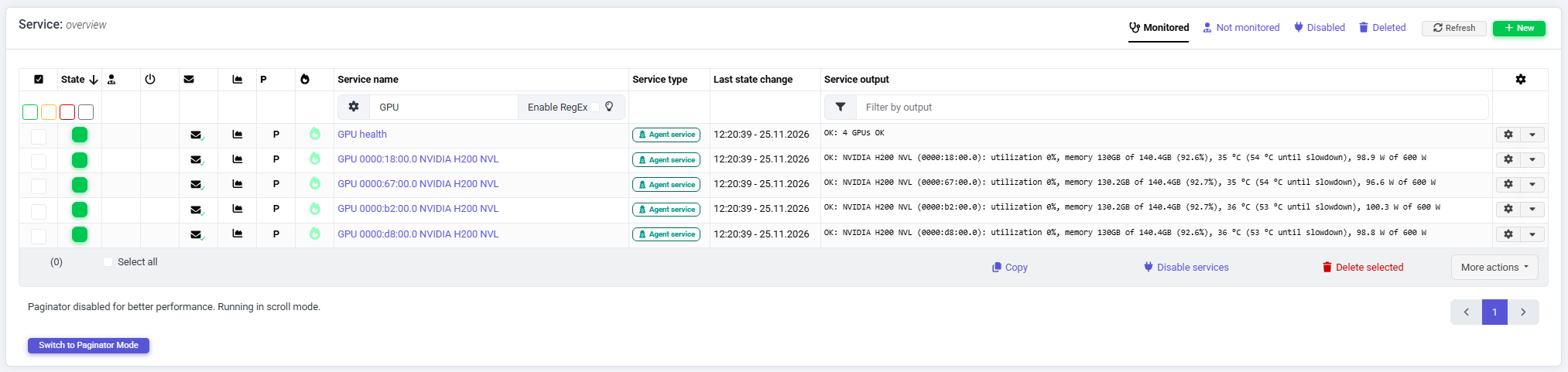
GPU Monitoring
The openITCOCKPIT Monitoring Agent 3.8.0 will also be capable of monitoring GPU usage on Linux and Windows systems. Depending on the Hardware Vendor and GPU model, different metrics are available. Especially if you are running GPU-intensive workloads, such as AI training or AI models, it is important to keep an eye on your GPU metrics.
Currently NVIDIA, AMD and Intel GPUs are supported. Most information is available on Linux systems.
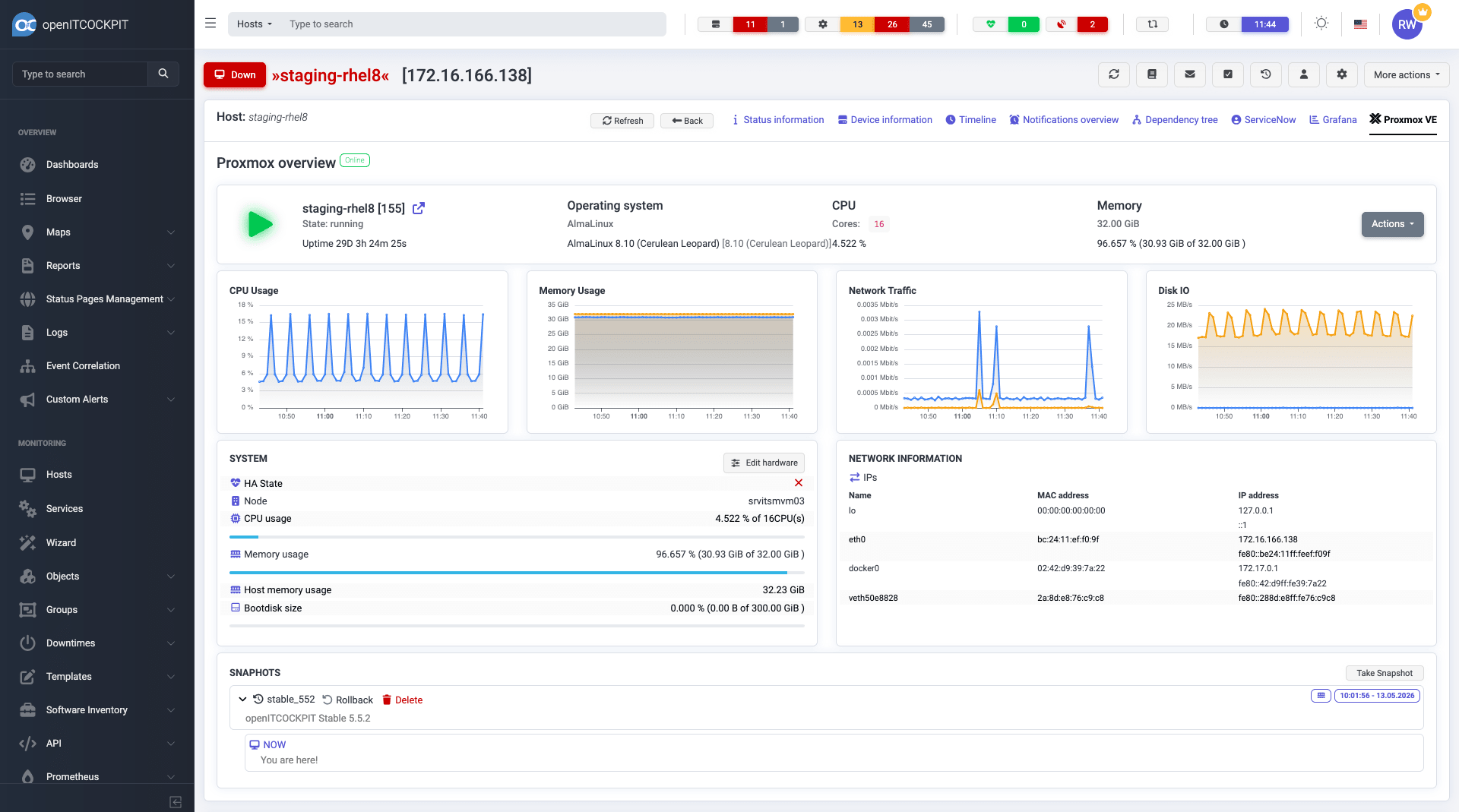
Import Module: Advanced VM configuration for Proxmox VE
The Import Module of openITCOCKPIT can import all virtual machines and LXC containers from a Proxmox VE system. This feature is available since openITCOCKPIT 5.6.0.
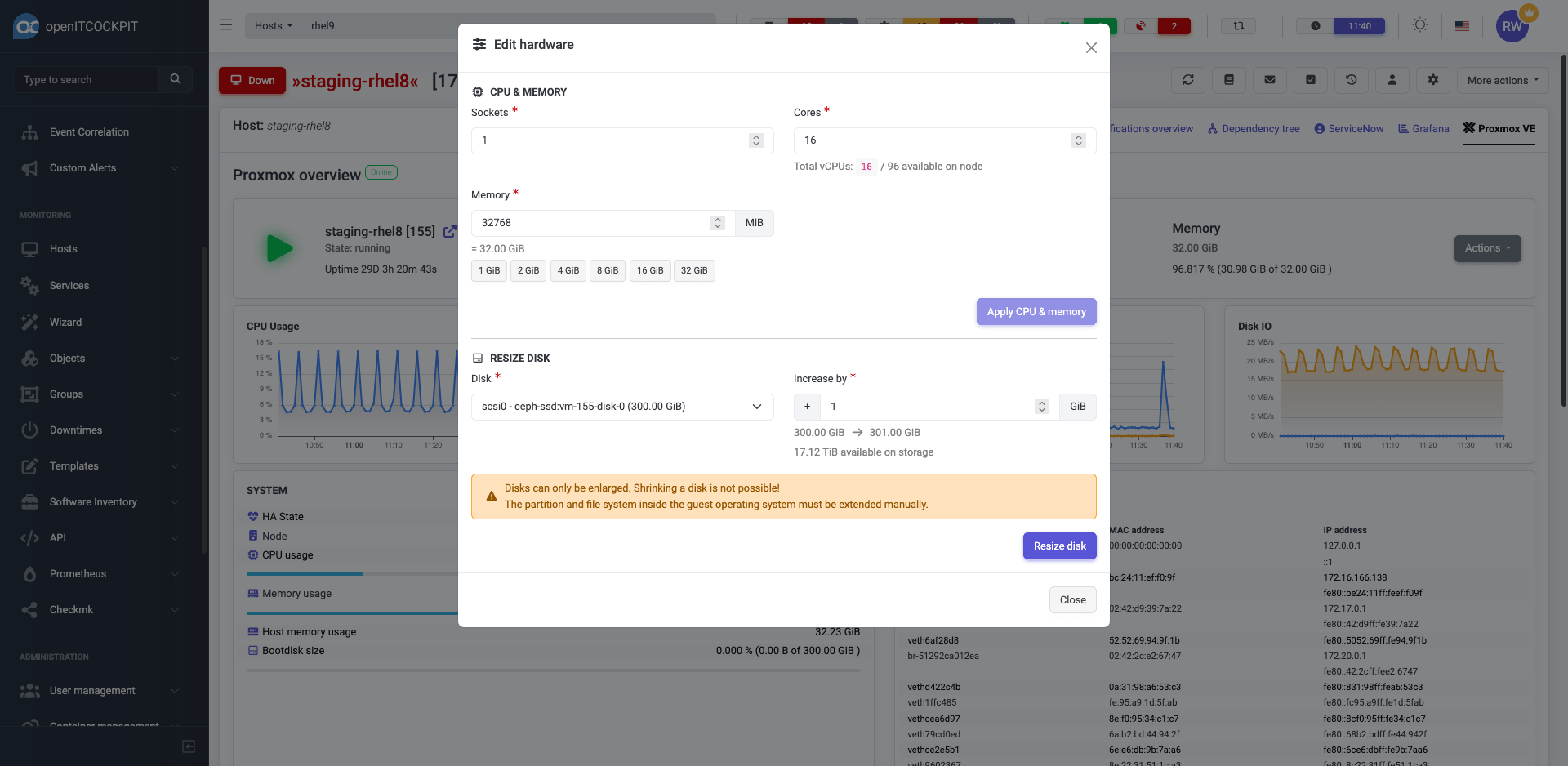
In addition to stop or start vms or create and rollback snapshots, it is now also possible to modify the configuration of existing virtual machines and containers. CPU cores, memory and the disk configuration can now be modified directly from openITCOCKPIT. Pending changes will be displayed in yellow color, same as you are used to from the Proxmox interface itself.
If the user has permissions, they can modify the hardware configuration.
New notification periods overview tab for hosts and services
Handling notifications can be a tricky task, especially when dealing with multiple contacts, different notification periods and notification settings.
To answer the question: Who gets notified when? We added the Notification overview tab to the host and service details view.
In the following example the service System Updates is configured to send notifications 24x7. The contact Dietmar Jenderny on the other hand
will only receive notifications from 07:00 - 12:00 and 13:00 - 19:00.
The contact evening only receives notifications during 20:00 - 24:00.
In the Coverage row red blocks show where nobody is been notified. This helps to quickly identify gaps in the notification coverage and ensures that critical alerts are not missed.
You can show an entire week, or pick a specific day to get a detailed view.
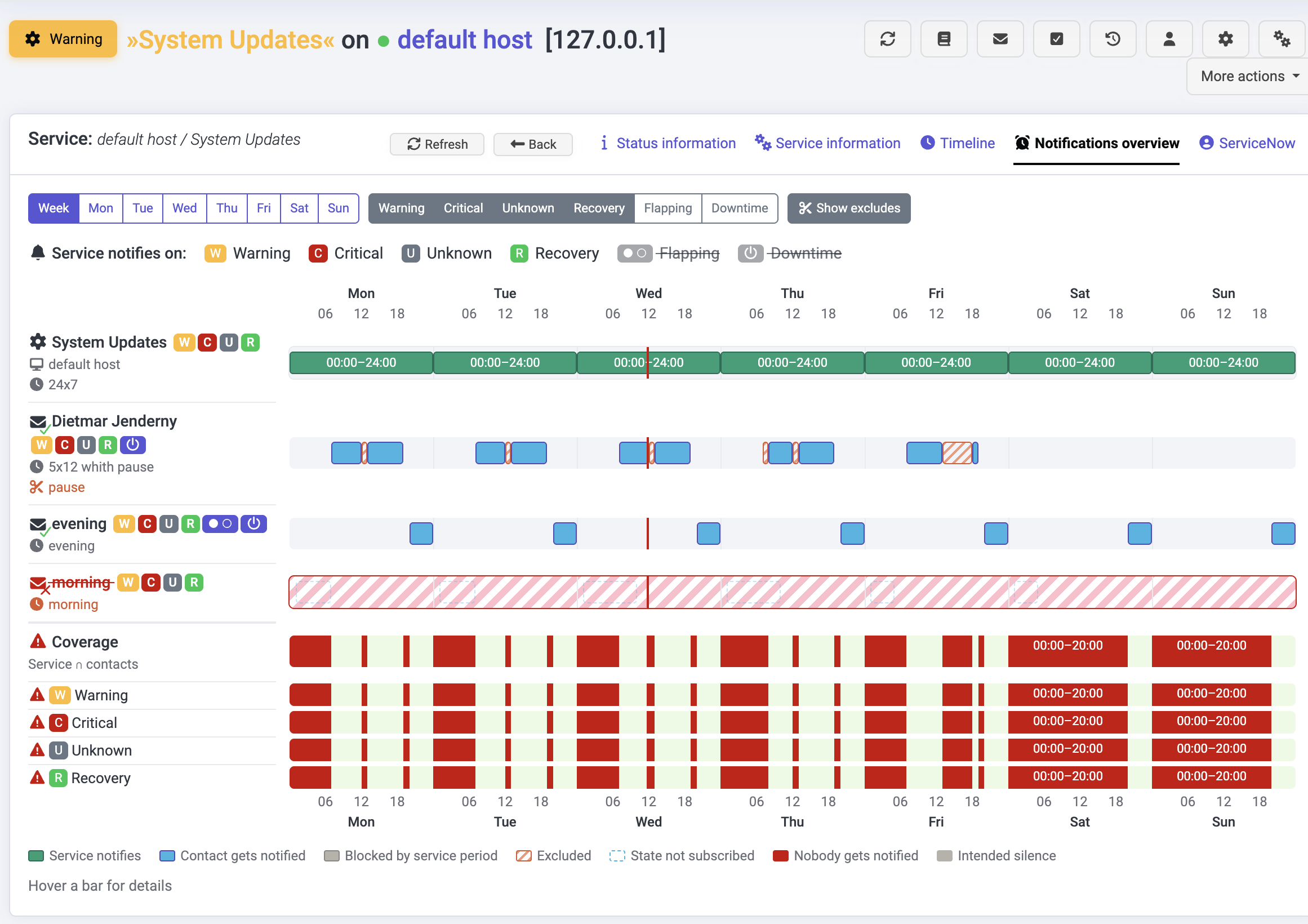
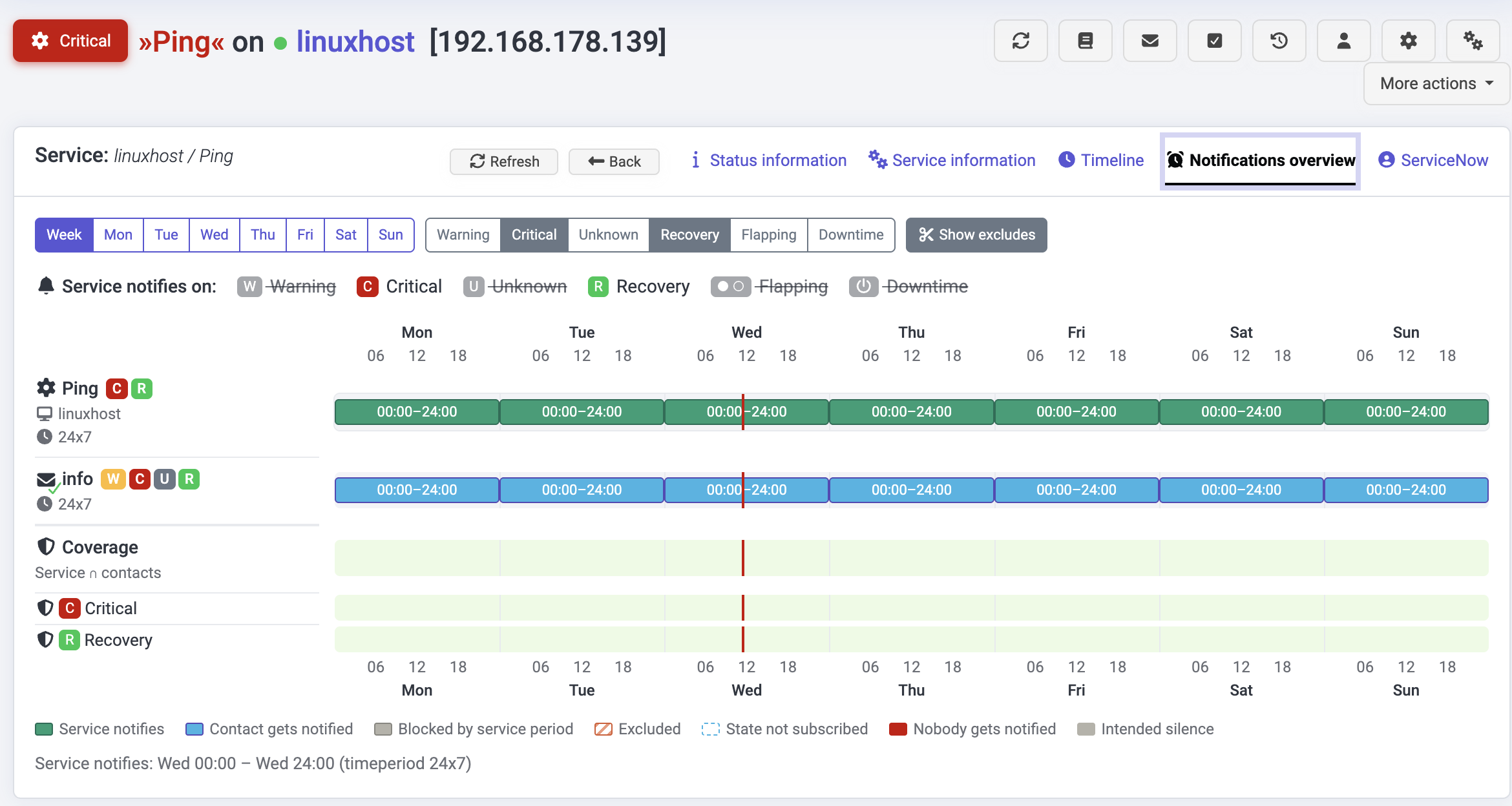
Of course, the complexity of the visualization depends on the number of contacts and used time periods. A simpler 24x7 setup will likely look like this:
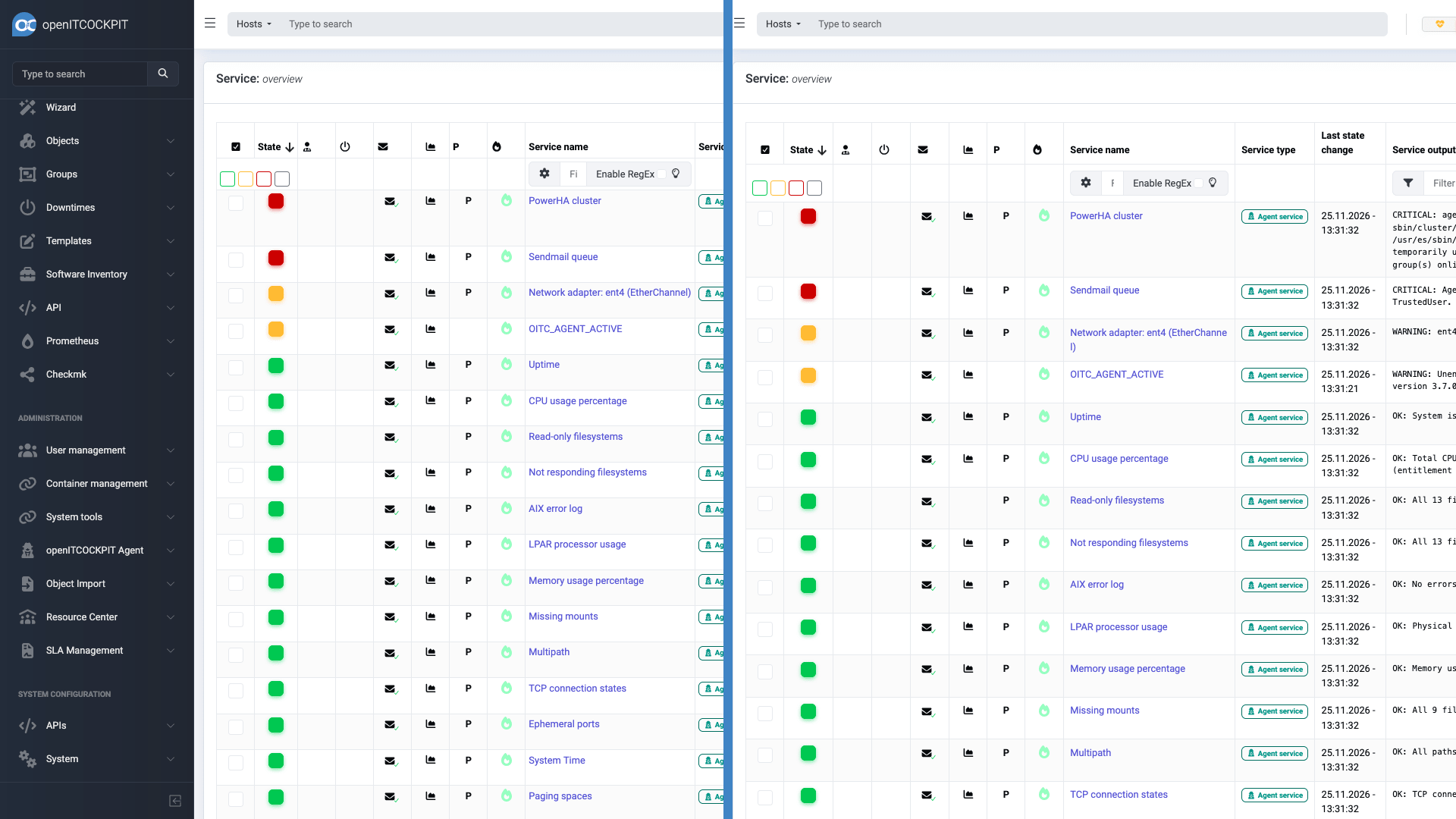
Reduced table size
We slightly reduced the size of all tables in the openITCOCKPIT to improve readability and make better use of screen space.
Bug fix for rsync >= 3.1.3-28
With rsync 3.5.0 and the distribution backports such as rsync-3.1.3-28, symlink hardening (CVE-2026-53796) made rsync refuse to write through a symlinked directory inside the destination.
This is important for openITCOCKPIT especially on RHEL systems.
As a result, our SETUP and UPDATE scripts failed with Too many levels of symbolic links. The scripts now create relative symlinks and pass --insecure-links in case the installed rsync supports it.
This resolves the issue across all supported distributions.
Migrate backend to CakePHP 5.4
The backend of openITCOCKPIT has been updated to CakePHP 5.4. While this update brings no changes to the user, it ensures to keep the system up to date and secure.
Database partitions on satellite systems
On satellite systems, large tables like statusengine_servicechecks or statusengine_hostchecks where not partitioned by default. This caused performance issues when querying these tables
but also led to errors when trying to remove old entries from these tables. We decided to implement database partitioning for these large tables to resolve these issues.
We use the same technique on the openITCOCKPIT Master Server since 2015 with great success.
The update will automatically create the partitions, no manual steps required. How ever, please be aware that the process may take some time depending on the table size.
mysql> SHOW CREATE TABLE statusengine_servicechecks\G
*************************** 1. row ***************************
       Table: statusengine_servicechecks
Create Table: CREATE TABLE `statusengine_servicechecks` (
  `service_description` varchar(255) NOT NULL,
  `start_time` bigint NOT NULL,
  `start_time_usec` int unsigned NOT NULL DEFAULT '0',
  `hostname` varchar(255) DEFAULT NULL,
  `state` smallint DEFAULT '0',
  `is_hardstate` tinyint(1) DEFAULT '0',
  `end_time` bigint NOT NULL,
  `output` varchar(1024) DEFAULT NULL,
  `timeout` smallint DEFAULT '0',
  `early_timeout` tinyint(1) DEFAULT '0',
  `latency` double DEFAULT '0',
  `execution_time` double DEFAULT '0',
  `perfdata` varchar(2048) DEFAULT NULL,
  `command` varchar(1024) DEFAULT NULL,
  `current_check_attempt` smallint DEFAULT '0',
  `max_check_attempts` smallint DEFAULT '0',
  `long_output` varchar(8192) DEFAULT NULL,
  PRIMARY KEY (`service_description`,`start_time`,`start_time_usec`),
  KEY `servicename` (`hostname`,`service_description`,`start_time`)
) ENGINE=InnoDB DEFAULT CHARSET=utf8mb4 COLLATE=utf8mb4_0900_ai_ci
/*!50100 PARTITION BY RANGE ((`start_time` DIV 86400))
(PARTITION p_2026_48 VALUES LESS THAN (20787) ENGINE = InnoDB,
 PARTITION p_2026_49 VALUES LESS THAN (20794) ENGINE = InnoDB,
 PARTITION p_max VALUES LESS THAN MAXVALUE ENGINE = InnoDB) */
1 row in set (0.00 sec)
Service dependency: Service search does not filter
We fixed an bug, where the search for services in the service dependency form did not filter correctly.
Changelog
For a complete list of new features, bug fixes, and improvements, please see the changelog.
How to Update
To ensure that the apt will replace and upgrade all packages correctly, it is important to use apt-get dist-upgrade.
Please see the official documentation for instructions on how to update openITCOCKPIT.
Refresh of monitoring configuration
After updating openITCOCKPIT, it is recommended to refresh your monitoring configuration to ensure all changes are applied correctly.
Your openITCOCKPIT Team