openITCOCKPIT 5.3.0 released
02.12.2025

openITCOCKPIT version 5.3.0 has been released. It is packed with new features, including Umbrella Monitoring Support for LibreNMS, new Wizards to monitor Proxmox Virtual Environment, Nutanix and generic SNMP Network Interfaces.
To keep track of all your assets, you can make use of the new Map-Generator to automatically generate maps based on the container structure or hostnames. Also this release contains several bug fixes and minor improvements.
New Features
LibreNMS status bridge
openITCOCKPIT can be used as an Umbrella Monitoring System. This means that openITCOCKPIT can collect and combine status information from external monitoring systems, such as Icinga, LibreNMS and more.
Thus it is possible to keep monitoring systems that are specialist for certain tasks or loved by the users. In this case, openITCOCKPIT will use the status information provided by the external monitoring system and you have a central place where all status information comes together.
We welcome LibreNMS into our family of supported external monitoring systems! 🎉 You can find the complete list of supported external monitoring systems in the documentation.

Map Generator
The Map Generator is a new feature of the Map Module. The idea is to generate a stack of maps, based on your container structure or by splitting the hostnames into logical parts.
Container Example
Let’s assume you have the following container structure:
/root/openITCOCKPIT/root/openITCOCKPIT/Satellites/root/openITCOCKPIT/Satellites/Fulda/root/openITCOCKPIT/Satellites/Frankfurt/root/openITCOCKPIT/Satellites/Berlin
When selecting the /root/openITCOCKPIT container, the Map Generator will fetch all hosts and sub-containers.
Each host and sub-container will be placed on the map as “Map Summary Item” and also for sub-containers, a seperate map will be generated.
In this example, openITCOCKPIT will generate 5 maps:
- Map
openITCOCKPIThas one Map Summary ItemopenITCOCKPIT/Satellites - Map
openITCOCKPIT/Satelliteshas one host and three sub-mapsopenITCOCKPIT/Satellites/{Fulda,Frankfurt,Berlin}
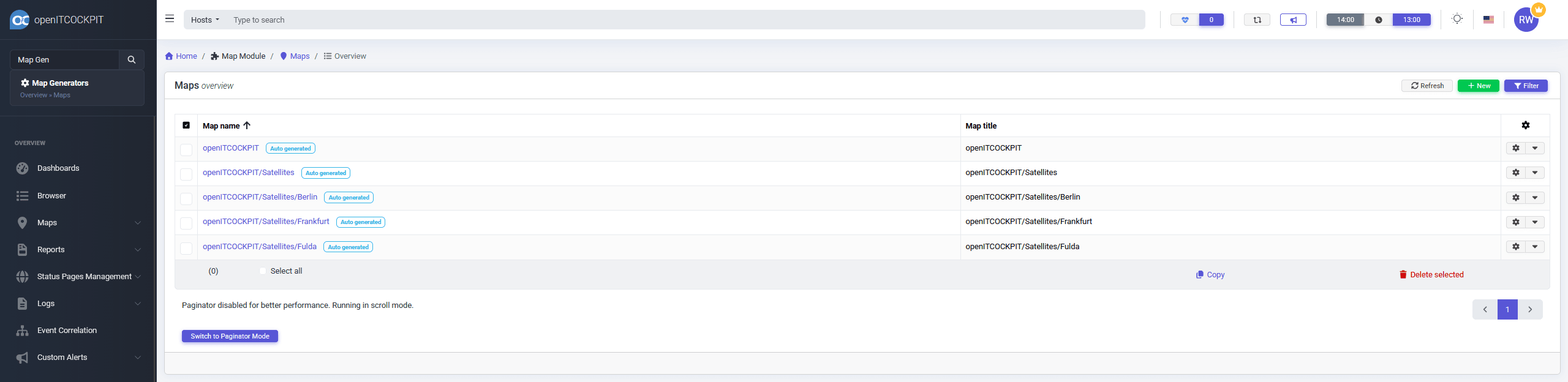
You can now navigate through the entire container structure.

Hostname splitting Example
In case you want to use the hostnames as base for the generator, you can do this.
Let’s assume your hostnames are folowing this naming convention: COUNTRY_TENANT-NODE-hostname, for Example
DE_openITCOCKPIT-Switch-swcore01DE_openITCOCKPIT-Switch-swcore02DE_openITCOCKPIT-Server-srvweb01DE_openITCOCKPIT-Server-srvweb02
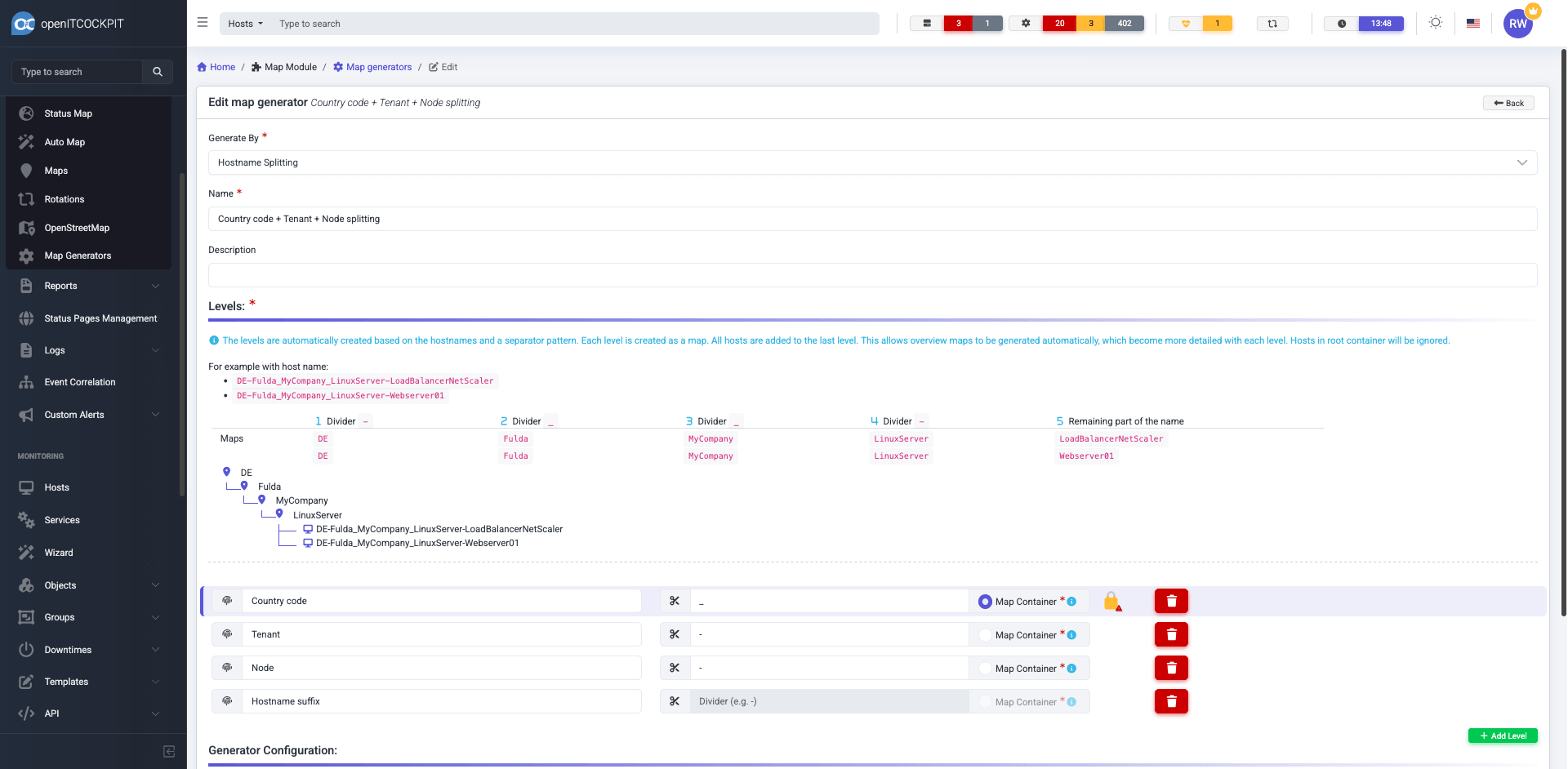
In this example, openITCOCKPIT will generate 4 maps:
- Map
DEhas one Map Summary ItemDE/openITCOCKPIT - Map
DE/openITCOCKPIT/has two Map Summary ItemDE/openITCOCKPIT/{Server,Switch} - The maps
DE/openITCOCKPIT/{Server,Switch}will both have two hosts.
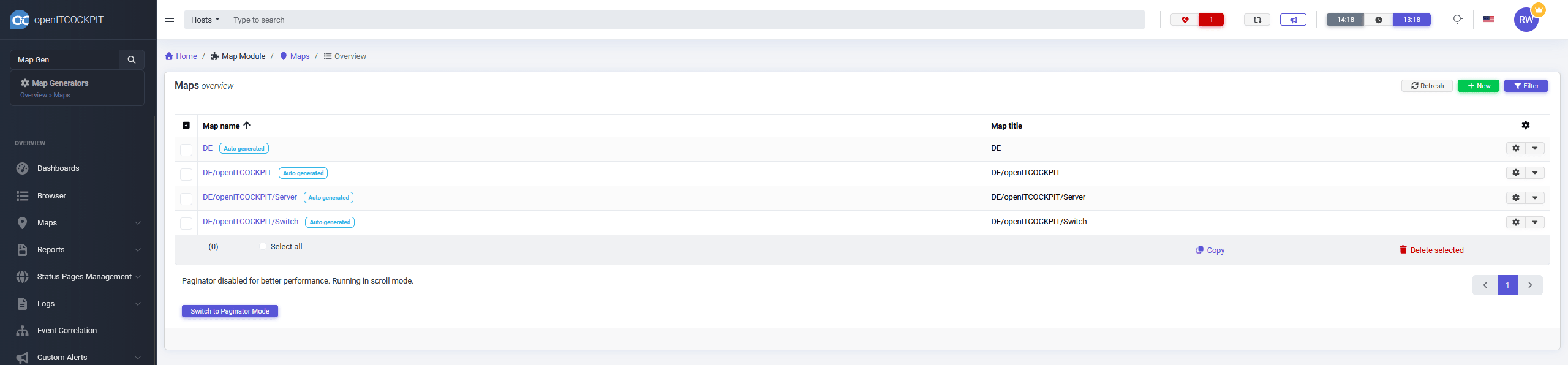
The map will contain each host or a sub-map, depending on the hostnames.

New Wizards
Proxmox VE
The Community Edition has now two new Proxmox Wizards provided by the ProxmoxModule (openitcockpit-module-proxmox).
The two Wizards Proxmox and Proxmox Storage will guide the user through the process of setup a Proxmox monitoring.
openITCOCKPIT will use the official API to query the metrics from Proxmox.
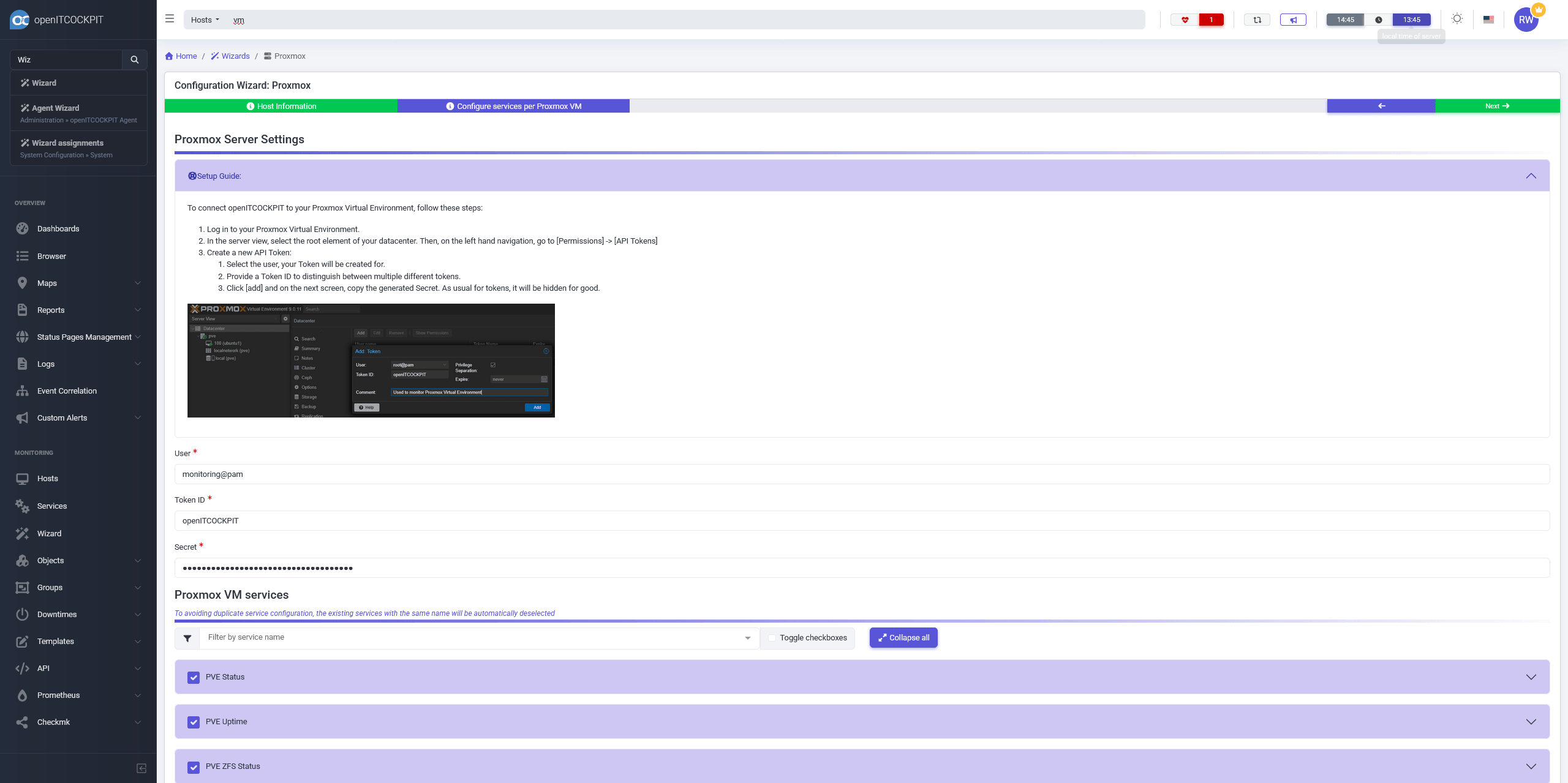
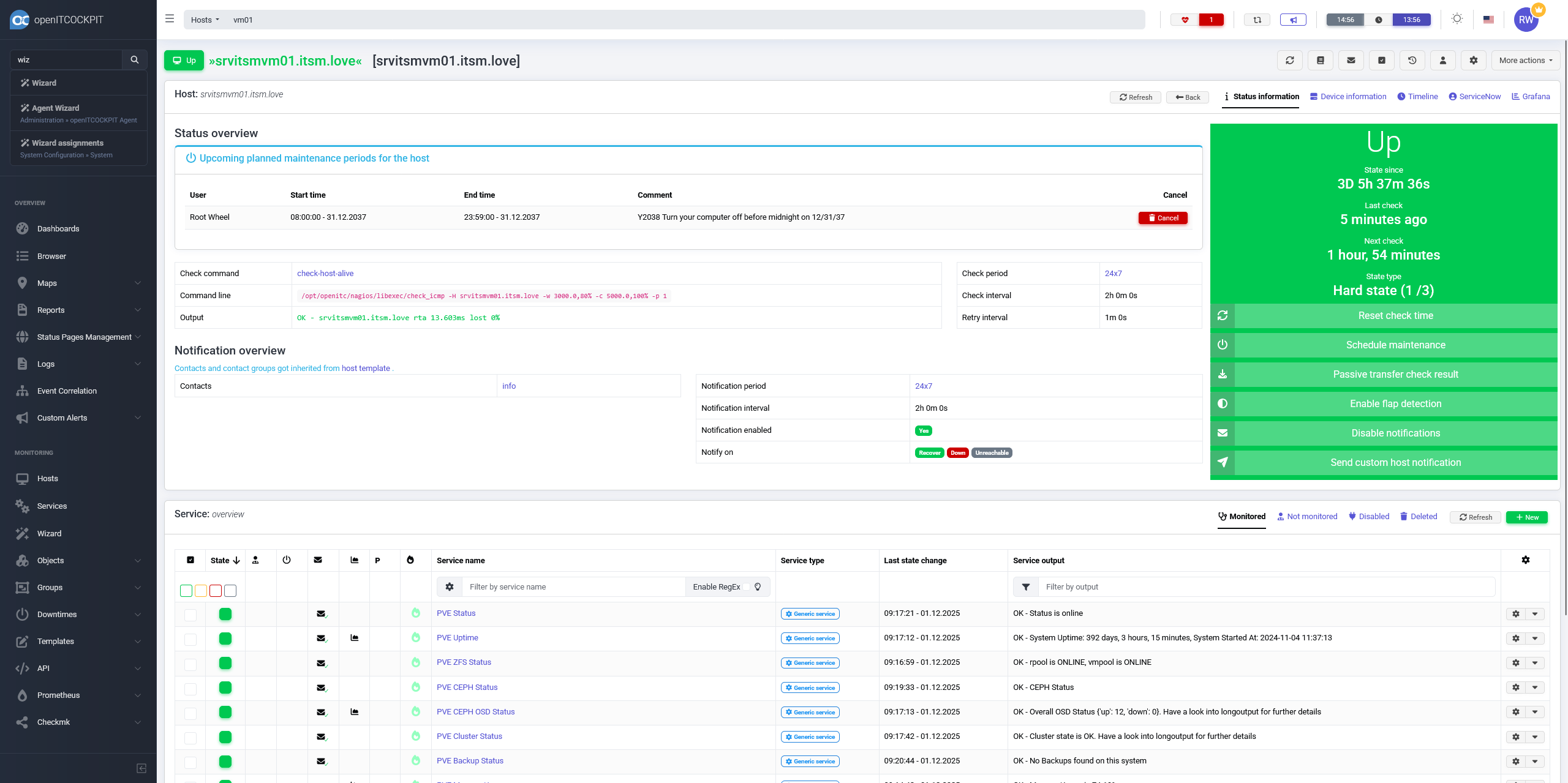
You can use the Proxmox Storage Wizard to discover all storage pools available on the Proxmox VE system.
To monitor the virtual machines itself we recommend the openITCOCKPIT Monitoring Agent
to have a consistent experience across all platforms and operating systems.
In addition new Wizards where added for:
- Nutanix (Monitor Nutanix Hypervisor metrics)
- Generic SNMP Interfaces (Monitor generic network interfaces of SNMP devices)
Changelog
For a complete list of new features, fixed bugs and improvements, please see the changelog
How to Update
Please see the official documentation for instructions on how to update openITCOCKPIT.
Your openITCOCKPIT Team